
How earnings work in Trendweave
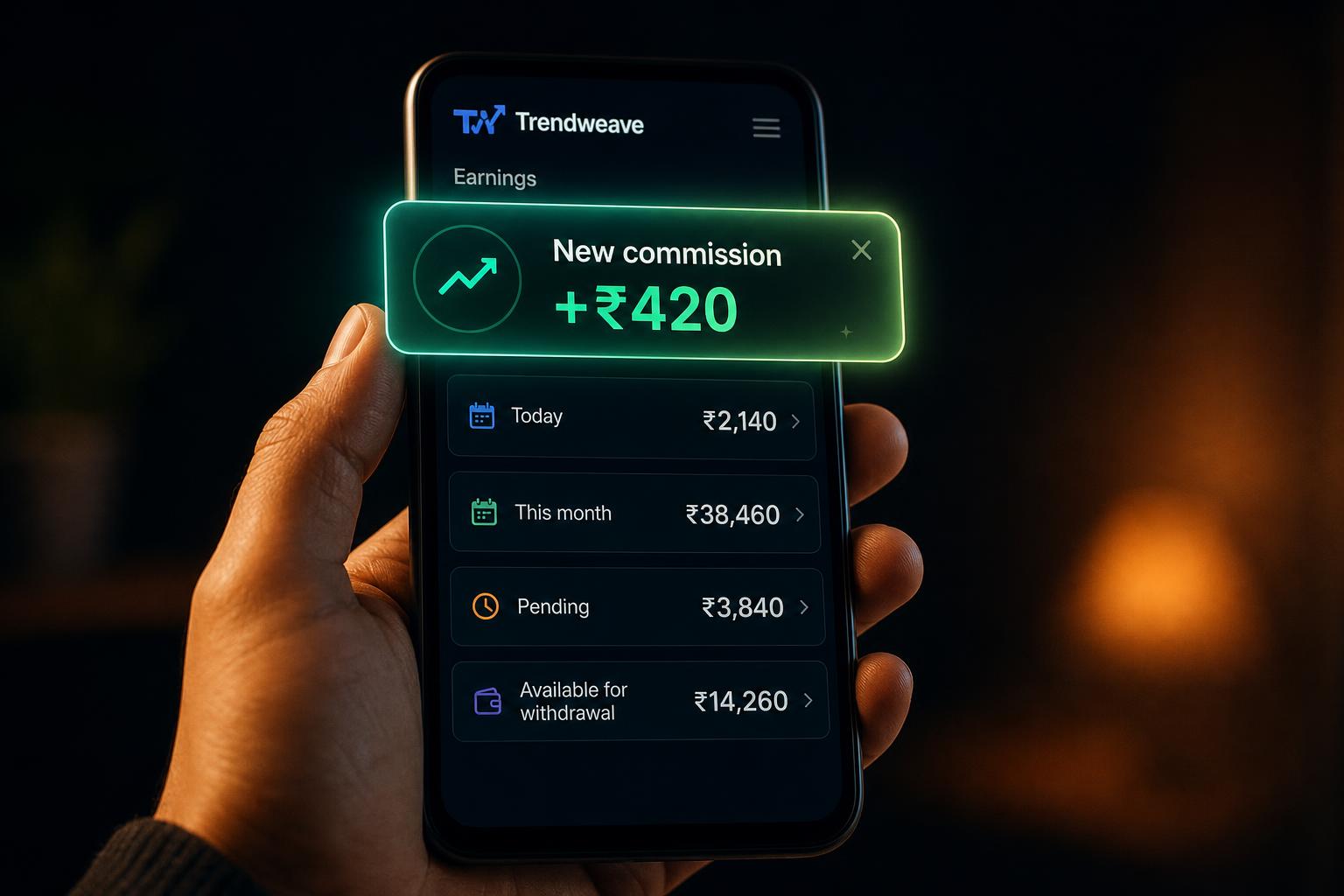
Two words show up on every screen in Trendweave: GMV and commission. They're the whole economics of the model — once you can explain them to a friend in a minute, payouts stop feeling like a black box.
GMV — what your link sold
GMV (Gross Merchandise Value) is the total value of orders placed through your tracking link (domain trdwv.com/xxxxx). If a viewer clicked your post and bought a kurti for ₹1,500, your GMV on that order is ₹1,500. Everything else is calculated from GMV.
Commission — your share
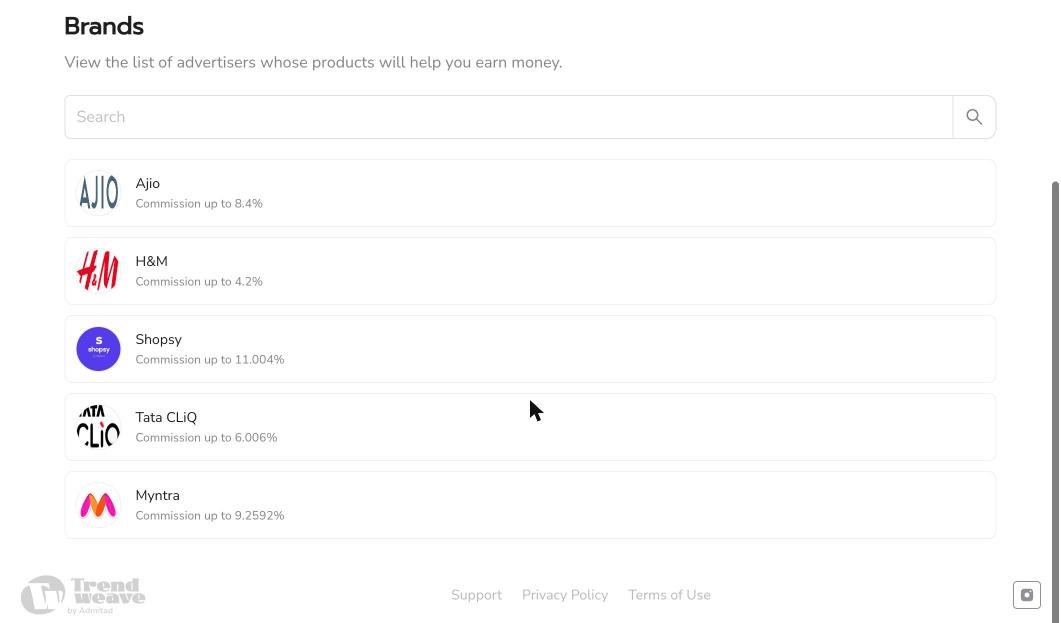
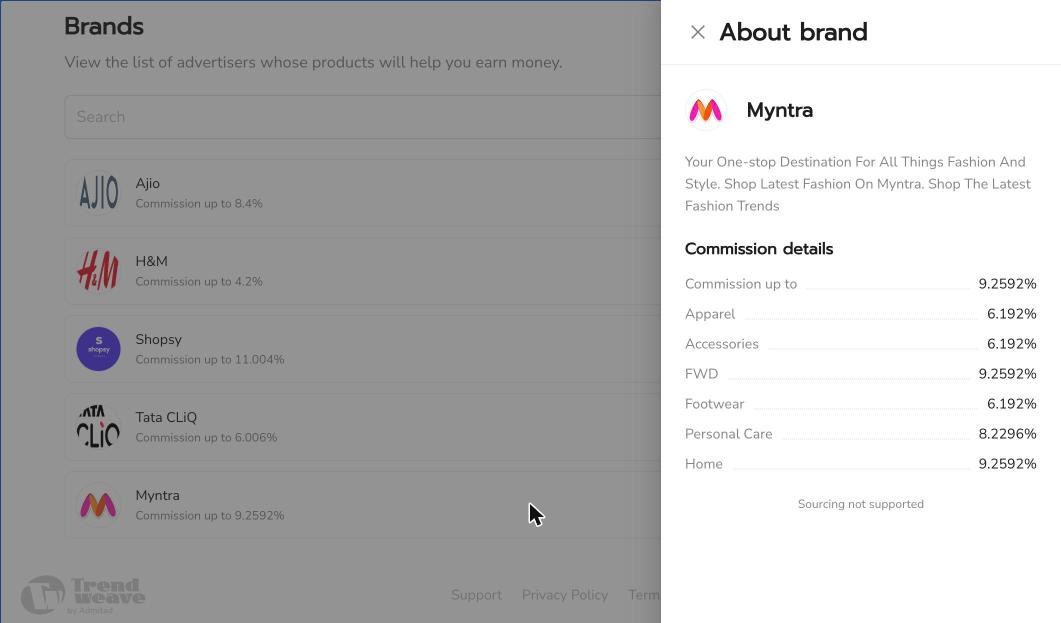
Commission is the percentage of GMV that Trendweave pays you. The rate depends on the brand and product category. Open the Brands section — each active retailer is listed with its maximum rate. Some brands break the rate down further by sub-category: with Myntra, for example, Apparel has one rate, FWD another, Personal Care a third. The exact rate per product appears in the product card when you attach it to a post — don't guess, look at the number in the catalog.
Three ways to earn — business models
Trendweave supports three earning models — you can run one, two, or all three in parallel.
1. Shoppable post + DM automation — pay-for-performance. You publish a regular post or reel with product tags; DM automation replies to every 'link' comment with a tracking link. You earn only when someone actually buys — commission = GMV × rate. No fixed fee, no guarantees, fully performance-based. This is the default model and where most creators start.
2. Stories with affiliate links — pay-for-performance. You add a product link sticker (or swipe-up link) to your story. The link is your tracking link; every view → click → order is attributed to you for the attribution window. Same economics as model 1 — you earn only on real orders, but stories let you push time-sensitive drops and sale-day picks without burning a feed post.
3. Monthly contract — guaranteed fix + performance bonus. Brands book you for a month with a deliverable pack: an agreed number of posts/reels with DM automation plus a number of stories with affiliate links. You're paid a fixed monthly fee for the contract (guaranteed, regardless of sales) and a performance bonus on top — commission on GMV and/or bonuses for hitting GMV/order targets. Best for creators with stable reach who want predictable income alongside upside.
How money moves — four statuses
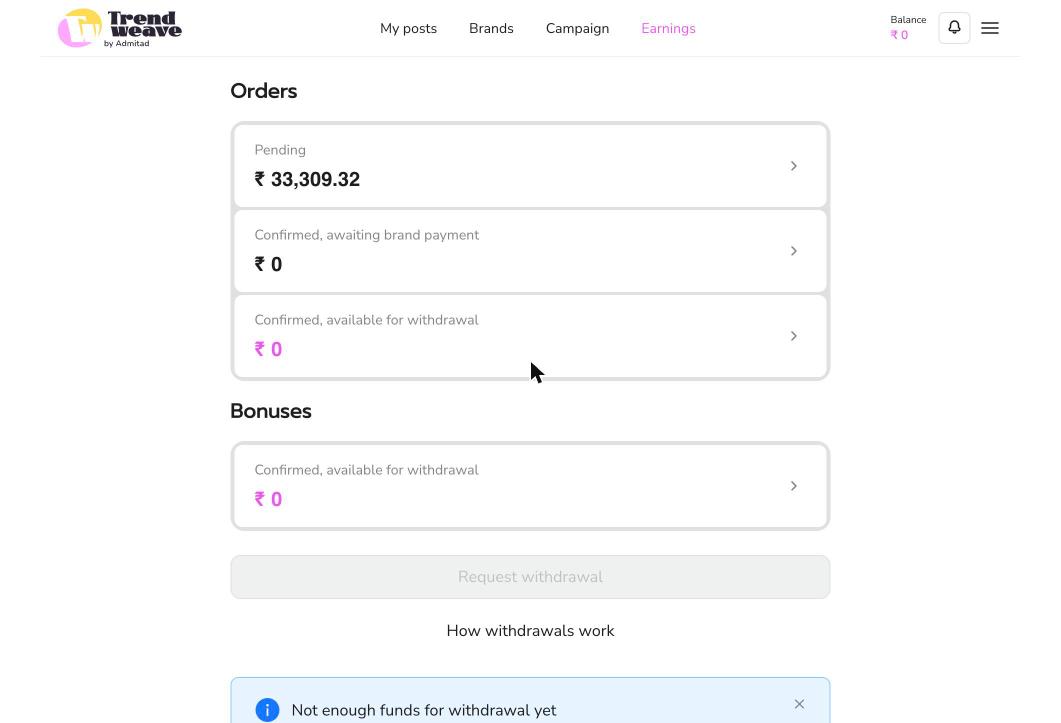
When a viewer places an order, your commission starts at Pending — the brand hasn't yet confirmed the sale. Then it becomes Confirmed, awaiting brand payment (the brand confirmed; we're waiting for the retailer to transfer money to Trendweave). Then Confirmed, available for withdrawal — you can pay it out. There's also Rejected — usually a return or cancellation; that commission doesn't credit. All four statuses live in the Earnings section, split into rows.
What top creators earn
On Trendweave's leaderboard, the most active fashion creators routinely clear ₹2,000–6,000 in daily commission during festive windows — and a single high-performing post can drive multiple of those days in a row. That's the ceiling worth targeting: it's set by real creators, not by marketing math.
Where to see post-by-post
The Statistics section gives a per-post breakdown: clicks, CR, orders, and commission per brand and per post. This is the main place to see what's actually working.
Key takeaway: Commission = GMV × brand/category rate. Not every order becomes cash immediately — wait for the 'available for withdrawal' status, then move it out.
Next step: Open Brands and look at the rate for every active retailer. Pick one whose category fits your audience — that's where your first post will start in Lesson 4.
- Learning outcome
- You can explain GMV, commission, attribution window, and lifetime in your own words.
- Action in product
- Pass a 5-question micro-quiz with a threshold of 4/5.
- Success metric
- ≥85% pass rate on first attempt.
- Unlock / Reward
- Potential-income calculator.
- Format
- Animated video + quiz.