
What DM automation is and how it works
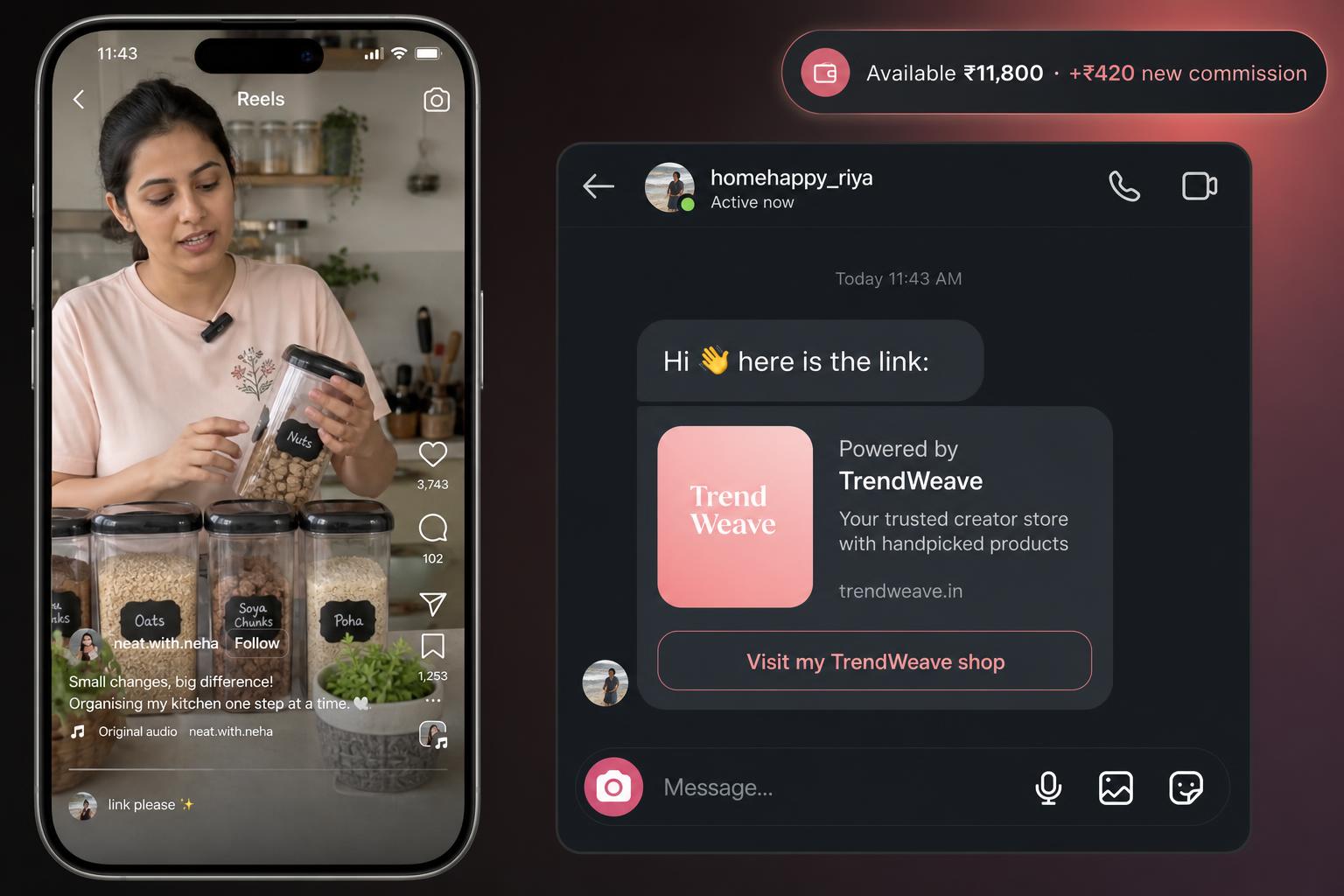
Your reel pulled 500 'link please' comments. You're sleeping, eating, shooting the next post — and 500 people are waiting for a link. The Campaign section in Trendweave solves exactly this: set it up once, and under every post the system replies in DM with a tracking link, automatically.
How it actually works
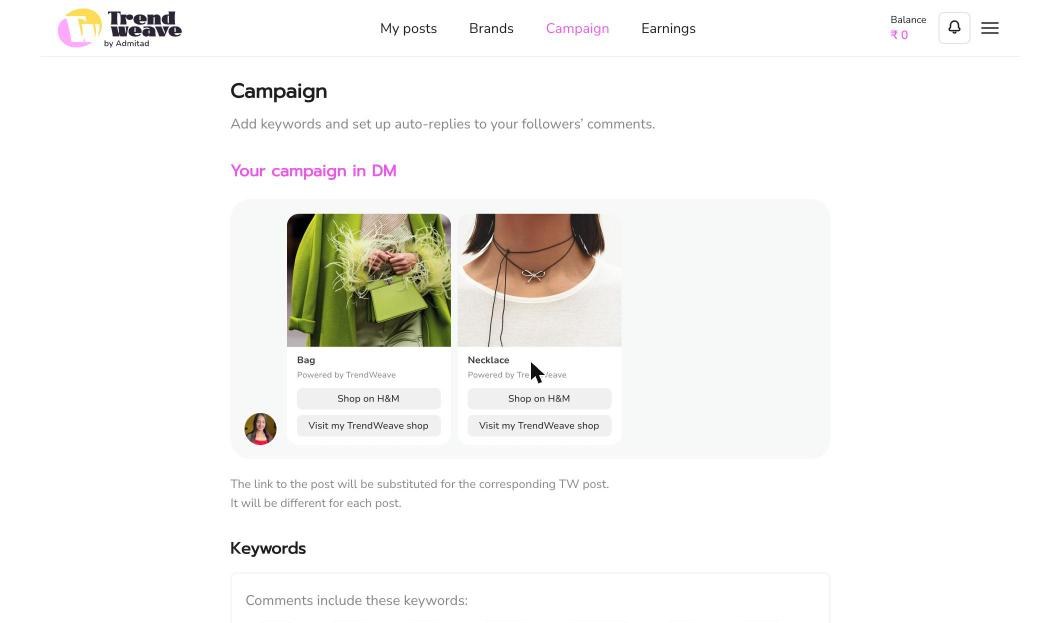
Campaign is a global setting on your account — not per-post. You define a list of keywords (trigger words). When a viewer leaves a comment containing any of those words under any of your posts, they get a DM with the product card and link. The link auto-substitutes for the specific post the comment was on — no manual copy-paste.
The default keyword set
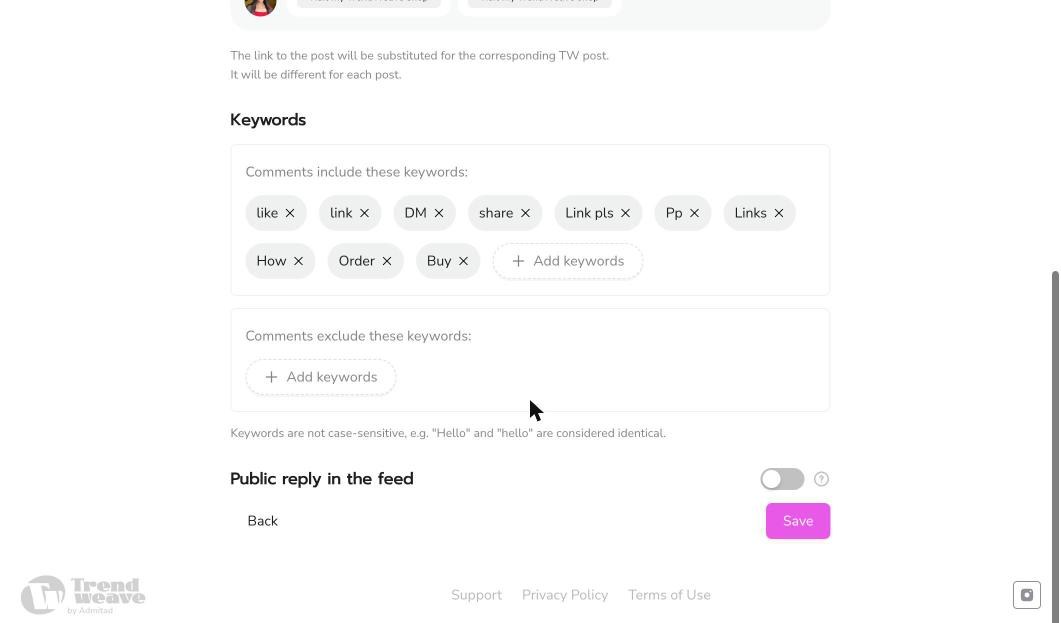
Trendweave proposes a starter list: like, link, DM, share, Link pls, Pp, Links, How, Order, Buy. Keywords are case-insensitive — 'Hello' and 'hello' both match. Add your own triggers (Hindi words, niche-specific patterns your audience uses). There's an exclude keywords field too — if 'link' shows up in regular discussions, exclude it so the DM doesn't fire on noise.
Public reply in the feed
A separate toggle: alongside the private DM, you can post a public comment reply like 'sent you a DM ✨'. Useful — other viewers who see this reply realise the system works. Off by default; turn it on if your account voice allows it.
What to put in the caption
For Campaign to fire, your caption needs an explicit ask to comment. The standard line in the Trendweave community is Comment "dm" for links❤️. Works for both reels and photo posts. The trigger word in your caption must match one in your Keywords list.
Key takeaway: Campaign is one setup that works on every future post. Without it, you lose most viewers between 'saw the reel' and 'found the link'.
Next step: Open Campaign, keep the default keyword set, switch on 'Public reply in the feed' and hit Save. Lesson 4 publishes the first post to test it.
- Learning outcome
- You understand how auto-DMs convert reel viewers into clickers.
- Action in product
- Enable DM automation in settings.
- Success metric
- ≥70% enable after the lesson.
- Unlock / Reward
- DM Automation widget active in posts.
- Format
- 4-min video.