
Creating your first shoppable post
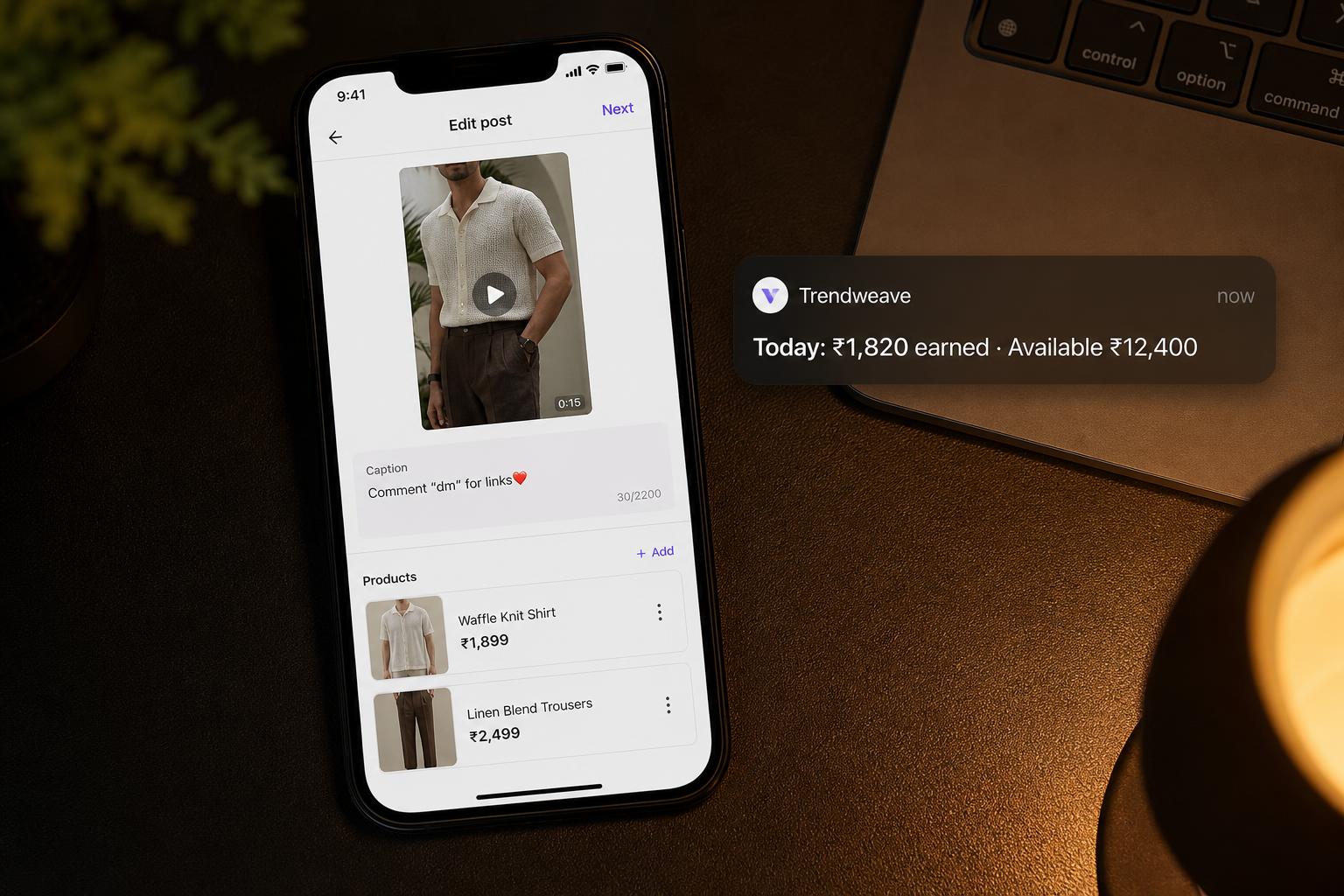
Every dollar you earn in Trendweave starts with a post. A post is a video or photo (from Instagram or uploaded straight into Trendweave) with product-links — your tracking URLs for specific products. Until your first post, the account earns 0. After it goes live, it starts working.
Three ways to add a post
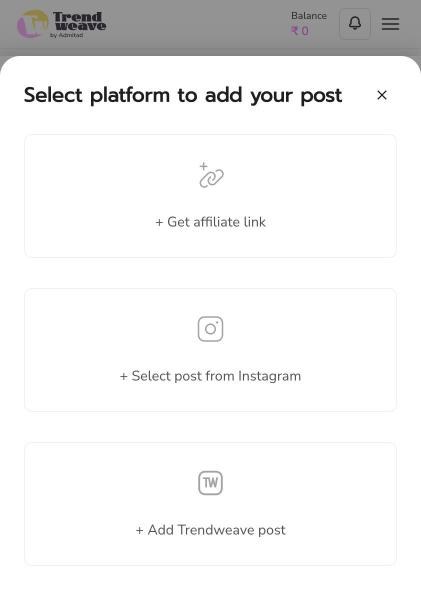
Press + Add post in My posts and a modal offers three options. Get affiliate link — just generate a link for a product, no publishing (for creators whose content already lives in Instagram and only need the tracking link). Select post from Instagram — pull an existing Instagram post and attach products to it. Add Trendweave post — upload a fresh video/photo straight into TW. For starters, pulling from Instagram is fastest.
What one post needs
A video or photo, a caption up to 200 characters, a Category (e.g. Style & Fashion), and 3–8 product-links. Multiple links per post is normal — the admin shows counters like 4/4 links monetized, 7/7 links monetized. Each link becomes a short trdwv.com/xxxxx URL and is tracked separately.
What to write in the caption
Three must-haves: disclosure (#Ad or equivalent in the first line — see Lesson 6), the standard CTA Comment "dm" for links❤️, and 3–5 niche hashtags (#kurtasets #coordsets #myntra). Caption is capped at 200 chars; write tight.
Collections
When publishing, you can assign the post to one or more collections (Dresses, Coords, Bags, etc.). A collection groups posts by theme on your public store. The cleaner your collections, the easier for a viewer to find what they want — and the higher your CR. More in Lesson 5.
Key takeaway: Your first post matters more than the 'perfect' post. Publish what you have today — formatting gets better on post #10, not post #1.
Next step: Open My posts → + Add post → pick Select post from Instagram → attach 3–5 product-links from one brand → assign a collection → publish.
- Learning outcome
- You've published a shoppable post with attached products and a tracking link.
- Action in product
- Publish your first shoppable post (template available in-app).
- Success metric
- ≥40% publish within 48 hours.
- Unlock / Reward
- Advanced content templates.
- Format
- Step-by-step guide + video.